4 separation filters
Gaussian Blur, Surface Blur, Median and 2× Median (smoother).


Olune Skin
Smooth skin texture and refine tones with precision. Built for fashion, beauty, and editorial photographers.
Try it free for 14 days
Download, install, and use every feature free — no card required. Buy a license when you're ready.


Frequency Separation for every retoucher.
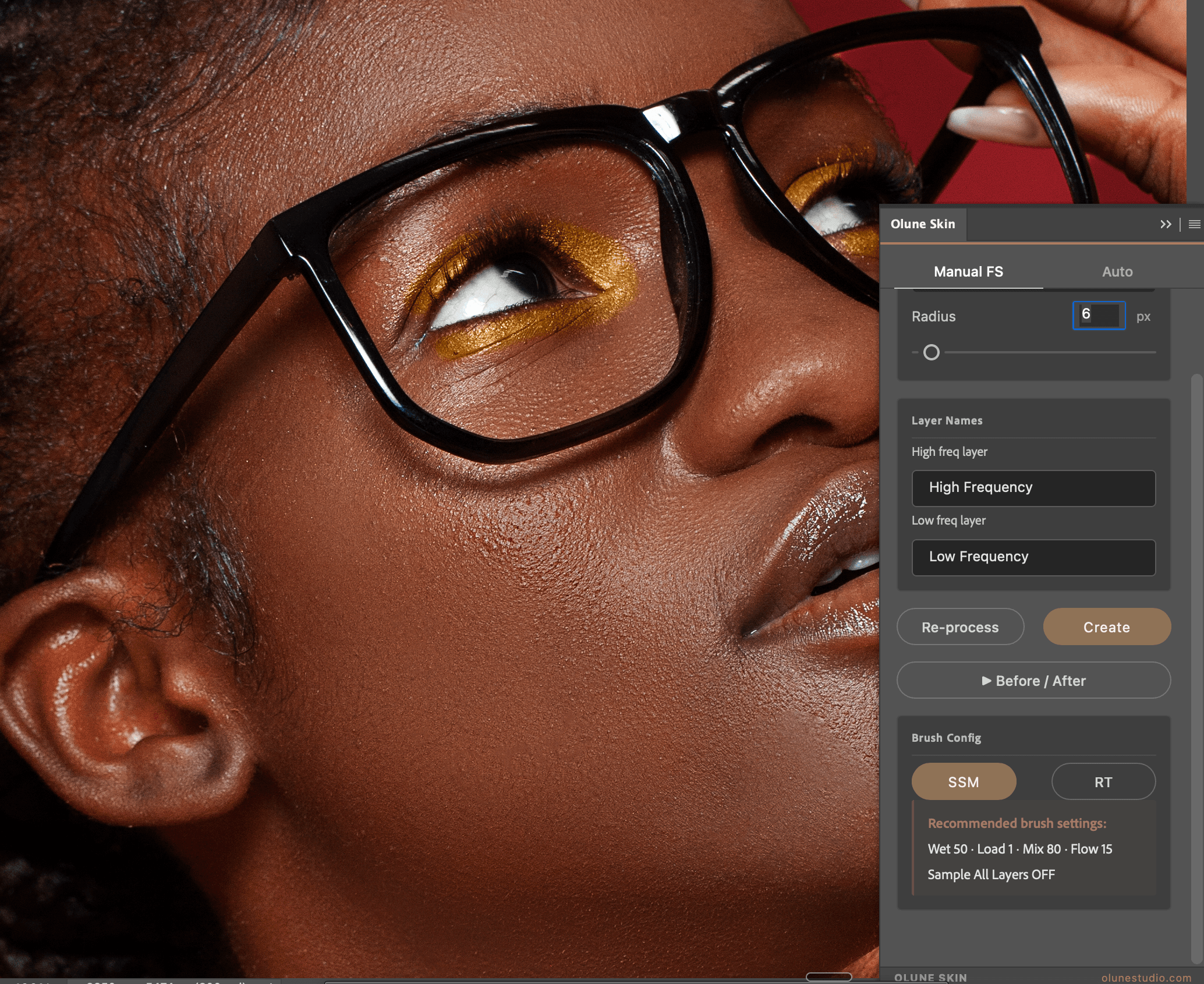
Manual FS for retouchers who own the workflow: 4 filters (Gaussian, Surface, Median, 2× Median), customizable Layer Names, pre-configured SSM/RT brushes. Auto when you need speed: 1 click sets up the perfect FS stack, detects skin, and activates the brush. Same plugin, two rhythms.


Smart face detection built in.
Olune Skin uses Photoshop's native face-mesh engine to isolate skin from hair, eyes, and background — no manual masking. Apply smoothing only where it belongs. Works on portraits, beauty, fashion, and editorial.
Smooth skin without losing pores.
Multi-band separation isolates the trouble zone — blotches, redness, uneven tone — while keeping pore-level detail intact. The result reads as skin, not plastic. Built for high-resolution work where every pixel matters.


Fix blotchy skin in seconds.
Olune Skin's tone equalizer evens out shadow/highlight imbalances across the face without flattening dimension. Cool greens, ruddy reds, uneven foundation — neutralized in seconds with full control over intensity.
Fair, mid, or deep skin. Neutral studio, color editorial, or beauty close-up. Olune Skin evens, smooths and preserves texture — without flattening dimension — across any base.


12 tools focused on the retouching flow — Manual or Auto, your call.
Gaussian Blur, Surface Blur, Median and 2× Median (smoother).
1 to 100 px slider — tune for skin type.
Rename High Frequency and Low Frequency right in the panel.
Recalculate with a new radius without rebuilding the stack.
Toggle to compare results without closing the panel.
Mixer Brush pre-configured · Wet 50 · Load 1 · Mix 80 · Flow 15.
Reveal Texture — brush to restore texture on High Freq.
Olune Skin uses Photoshop's face-mesh engine to isolate skin.
Smoothing, Healing and Texture from 0 to 10, real-time adjust.
Paint each layer (Smoothing, Healing, Texture) independently.
Customizable Flow and Opacity for each layer mask.
Apply mask, add smoothing, convert to FS — shortcuts in the footer.
Lifetime license
Limited launch — first 200 customers
Limited launch — 200 units only
Secure checkout
Try Olune Skin risk-free. If it doesn't speed up your workflow, refund any time within 14 days. No questions asked.